A sleek, modern workspace featuring a minimalistic desk with a succulent plant in a black pot, accompanied by a blurred background of a computer showcasing a deleted Wordpress theme.

How To Delete WordPress Theme Completely

How to delete WordPress Theme completely is a fairly simple operation to do, but I suppose it is only simple if you know how to do it!

There are so many new people starting to use WordPress and finding there way around that I thought it might be useful to throw this brief one in.

Find Out How To Delete WordPress Theme Completely

You need to have an active WordPress theme and you should not try to delete all themes in your administration area.

When you first install WordPress, it will automatically install free themes for you if you choose. Themes like Twenty Nineteen, Twenty Twenty, Twenty Twenty-one, etc.

You can use any of these free themes already installed or upload your own free or paid theme as well.

What is not a good idea is to have redundant themes sitting in your admin area doing nothing, but taking up space and maybe also exposing you to security vulnerabilities too.

Delete WordPress Themes

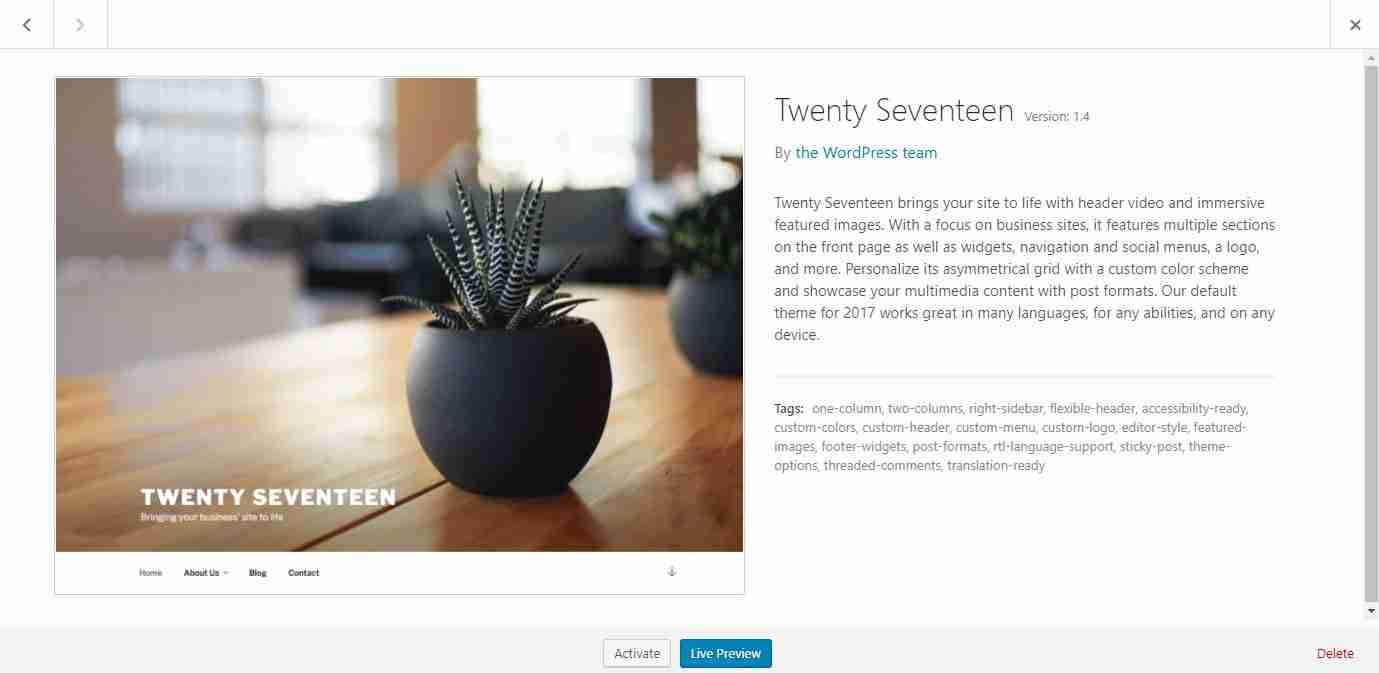
Login to your Admin area and click on Appearance and then Themes. You will clearly see what themes you have there. It will also show you the theme that is currently active and that you are using.

Decide which theme you want to keep and make sure it is live.

On the other themes you are not using, hover over the theme picture near the centre and click on Theme Details. On the extreme bottom right you will see Delete and it is just a matter of clicking on this once and then clicking on Ok to remove the theme completely.

Didn’t I tell you it would be easy?

See also how to get your pages indexed by Google.

Similar Posts

  • Unveiling the Ultimate Google Workspace Review: Revolutionising Your Productivity

    Google Workspace Review – Google Workspace provides businesses with a suite of tools designed to increase collaboration, productivity and workflow. Its integrated experience combines Gmail, Calendar, Meet and Chat into one app; furthermore, recently the company implemented a redesign that further simplifies its interface. Workspace provides customised email addresses, unlimited cloud storage space and an…

  • What is Anchor Text and Do I Need to Use It?

    What is Anchor Text and Do I Need to Use It? – What exactly is Anchor Text? Here is an example of anchor text within a sentence: Can you spot that this is the anchor text in this example. Yet, as users, we are able to see no more than the clickable area of the anchor…

  • When To Use The Noindex Tag In WordPress Websites For Good SEO

    When To Use The Noindex Tag In WordPress Websites For Good SEO – in the ever-evolving world of SEO, every webmaster strives to optimize their website to perfection. Amidst the myriad of tools and techniques, the humble “noindex” tag often goes unnoticed. Yet, this unassuming tag can be a game-changer in the SEO landscape! Whether…

  • Cloudflare Free Review

    Cloudflare Free Review – CloudFlare has a totally free service that quickens and secures your website against malicious visitors, save bandwidth and reduce average page load times. I will try to point out a few interesting and helpful things in this Cloudflare Free review. How Does Cloudflare Work? It is designated as your authoritative name servers…

  • Hostinger WordPress Hosting Review: Affordable Prices with Exceptional Performance

    Hostinger WordPress Hosting Review – Hostinger, founded in 2004, has established itself as a significant player in the web hosting industry. Originally launched as a free web hosting service, the company quickly evolved, adapting to the growing demands of the online business landscape. Today, Hostinger operates globally, serving millions of customers in over 170 countries….