
How to Make Money with Google AdSense: A Beginner’s Guide
Imagine waking up to find that your website earned money while you were sleeping. Sounds too good to be true, right? Well, thousands of everyday people are doing exactly that with Google AdSense, and there is no reason you cannot join them.
If you have been searching for ways to google adsense make money work for you, you are in the right place. Google AdSense is one of the most beginner-friendly ways to earn passive income online. You simply place ads on your website or blog, and Google pays you whenever visitors interact with those ads. Pretty straightforward, honestly.
In this guide, we are going to walk you through everything you need to know to get started. We will cover how AdSense actually works, how to set up your account, and the best strategies to maximize your earnings from day one. No confusing jargon, no overwhelming technical steps. Just clear, simple guidance designed specifically for beginners like you.
So grab a cup of coffee and get comfortable. Your journey to earning money with Google AdSense starts right here.
What Is Google AdSense and How Does It Actually Work?
If you’ve ever wondered how bloggers and website owners manage to earn money simply by publishing content online, Google AdSense is often the starting point. At its core, AdSense is a free programme from Google that lets you earn money by displaying adverts alongside the content on your website or blog. The best part? You don’t need to hunt down advertisers or negotiate deals. Google does all of that heavy lifting for you.
Here’s how it works in simple terms. You sign up, add a small piece of code to your website, and Google automatically fills your available ad spaces with relevant, paying advertisements. Google draws from a network of over 2 million advertisers, matching ads to your content and your audience based on what people are reading and searching for. A personal finance blog, for example, will naturally attract ads related to loans, credit cards, or investing, without you having to configure any of that manually.
Recommended Reading
The financial scale behind AdSense is genuinely impressive. Google’s advertising segment generated $294.68 billion in revenue in 2025, and over 63% of internet users have clicked a Google ad at least once. That tells you the ecosystem is active, trusted, and well-funded, which is good news for publishers like you.
When it comes to what you actually earn, publishers keep approximately 68% of the ad revenue their content generates. Google retains the remaining 32% for running and maintaining the platform. That split has been in place since AdSense launched back in 2003.
One of the biggest recent developments is how deeply Google AI is now woven into the AdSense platform. According to Google’s official AdSense announcements, AI-powered features are actively working behind the scenes to improve ad relevance and user experience on publisher pages, which means less guesswork for you when it comes to optimisation.
AdSense works across a wide range of website types, from personal blogs and niche content sites to informational resources and hobby websites. Whether you’re just starting out with a small audience or steadily growing your traffic, it remains one of the most accessible and beginner-friendly monetisation channels available to content creators today.
How Much Can You Realistically Earn? (UK-Focused Expectations)
Let’s be honest: this is the question every new blogger wants answered before they commit to anything. The short answer is that earnings vary quite a bit, but the picture for UK-based publishers is genuinely encouraging once you understand what drives the numbers.
Most AdSense-enabled websites earn somewhere between $0.20 and $2.50 RPM (that’s revenue per 1,000 page views), according to widely reported industry benchmarks. However, UK traffic consistently sits at the stronger end of that range because advertisers competing for British audiences, particularly in sectors like finance, insurance, and legal services, tend to bid higher for clicks. If you want to understand exactly how Revenue per thousand impressions (RPM) is calculated, Google’s own documentation breaks it down clearly.
For a practical illustration, a UK blog attracting around 10,000 monthly page views from organic search could realistically generate somewhere between £15 and £60 per month in the early stages, depending heavily on your niche and how well your ads are placed. That might not sound life-changing, but remember these figures represent a starting point, not a ceiling.
The good news for smaller sites is that even 50 to 300 daily visitors can produce consistent income when those visitors arrive with clear intent. Someone searching “best ISA rates UK” is far more valuable to advertisers than ten casual entertainment browsers. Traffic quality genuinely matters more than volume in 2026.
Progression is gradual, so set realistic expectations. Most beginner bloggers see modest but steadily growing returns across a 6 to 12 month period as their content builds authority in search rankings and Google’s targeting improves. Patience combined with consistent publishing is your most reliable strategy early on.
Understanding RPM, CPC, and CTR in Plain English
Once you start digging into your AdSense dashboard, you’ll notice three key numbers that determine how much you earn. Understanding what they mean makes it much easier to know what to fix when your income isn’t where you want it to be.
RPM (Revenue Per Mille) is your earnings per 1,000 page views, and it’s the single most useful number for tracking your site’s performance over time. The formula is straightforward: take your estimated earnings, divide by your page views, then multiply by 1,000. Most AdSense publishers earn somewhere between $0.20 and $2.50 per 1,000 views, though sites in high-value niches can push well beyond that. Think of RPM as your overall efficiency score; it tells you how hard your content is working for you, regardless of raw traffic volume.
CPC (Cost Per Click) is what an advertiser pays each time someone clicks one of your ads. For you as the publisher, it shows up as your average earnings per click. This figure varies enormously depending on your niche. A general lifestyle blog might see a few pence per click, while a finance or legal content site could earn several pounds from a single click. Targeting topics with higher advertiser demand is one of the fastest ways to improve your AdSense earnings with data-driven decisions.
CTR (Click-Through Rate) is the percentage of ad impressions that actually result in a click. Even a modest improvement matters; moving from 1% to 1.5% can produce a noticeable lift in your monthly earnings without any extra traffic. CTR is largely influenced by where your ads sit on the page, how relevant they are to your content, and how your pages load on mobile devices.
All three metrics live inside your AdSense dashboard, and learning to read them together is the first step toward smarter optimisation.
The Simple Earnings Formula Every Publisher Should Know
Now that you’re comfortable with what RPM, CPC, and CTR actually mean, here’s where things get really useful. There’s a simple formula that ties all three concepts together, and once you understand it, you’ll start making much smarter decisions about where to spend your time and energy.
The formula is straightforward: Earnings = Pageviews x CTR x CPC
You can verify this yourself using a Google AdSense revenue calculator, which uses exactly these three inputs to estimate your monthly income. What makes this formula so powerful is that each variable is an independent lever. You don’t have to grow all three at once. You can pull just one and still see a meaningful difference in your income.
This matters enormously if you’re a newer publisher with modest traffic. Rather than waiting months for your pageview numbers to climb, you can focus on improving CPC through smarter niche targeting or boosting CTR through better ad placement, and start earning more right now.
Here’s a concrete example to make it click. Imagine you’re currently earning around £0.20 per click. By researching higher-value topics in finance, legal, or technology niches, and writing content that attracts those advertisers, you could realistically push that to £0.40 per click. That single change doubles your earnings without sending a single extra visitor to your site. The same outcome would require doubling your entire audience through SEO and promotion, which could take six months or more.
As Google themselves confirm, AdSense earnings depend on many factors including your content type, audience location, and how you configure your ads, not just raw traffic volume. That’s genuinely good news for beginners.
Thinking in terms of this formula turns guesswork into a strategy. When you review your AdSense data each week, you can ask yourself: is my CTR low because of poor ad placement? Is my CPC low because I’m writing about topics with little advertiser competition? Each answer points you toward a specific action, whether that’s testing ad positions, adjusting your content focus, or investing more in SEO for high-value keywords.
How to Get Approved for AdSense in 2026
Getting approved for AdSense is genuinely one of the most common stumbling blocks for new publishers, but the good news is that Google’s expectations are transparent once you know what to look for. Before any ads appear on your site, Google’s team reviews your application and evaluates whether your site meets their quality standards. Understanding those standards upfront saves you from the frustration of repeated rejections.
The single biggest rejection trigger in 2026 is thin or low-quality content. Google wants to see original, helpful articles that genuinely solve problems for real readers. Posts that are heavily AI-generated without any personal input, duplicate content copied from elsewhere, or short pages stuffed with keywords will get flagged quickly. Aim for articles that are thorough, clearly written, and actually useful to the person reading them. You can check Google’s official eligibility requirements directly to understand exactly what they expect before you apply.
Beyond content, your site’s structure matters enormously. Make sure you have an About page, a Privacy Policy, and a Contact page in place before submitting your application. These pages signal that your site is a legitimate, professionally run property rather than a hastily assembled monetisation attempt.
Your site also needs to be live, indexed in Google Search, and showing a genuine publishing history. A practical rule of thumb is to wait at least three to six months and build up around 15 to 25 solid posts before applying. According to the AdSense approval checklist discussed by real publishers, patience consistently pays off. Applying too early, before your site has real credibility, is the most avoidable mistake beginners make.
What Google Looks for Before Approving Your Site
Google’s review process is more thorough than many beginners expect, so it helps to know exactly what reviewers are checking before you hit submit.
Content policy compliance is non-negotiable. Your site must be completely free of adult material, content that promotes violence or illegal activity, and anything misleading or deceptive. This includes aggressive affiliate pages that make exaggerated income claims, thin listicles with no real substance, and opinion-based posts where the author is completely anonymous. Google’s reviewers are actively checking for these issues in 2026, and failing here is the fastest route to rejection.
Your traffic sources also matter more than you might think. Sites leaning heavily on click-exchange schemes or incentivised traffic can trigger post-approval account problems even if they pass the initial review. Genuine, user-initiated traffic is what Google wants to see. Interestingly, one publisher documented approval with minimal organic Google traffic while relying primarily on Pinterest, proving authenticity matters more than traffic source.
Mobile responsiveness is simply expected in 2026. With the majority of web browsing happening on smartphones, a site that displays poorly on mobile is unlikely to pass review. Pair that with reasonable page load speed, since Google’s site assessment covers the full user experience, not just your written content. Slow, clunky sites hurt ad viewability and reflect poorly on the overall experience Google promises its advertisers. You can check approved AdSense platforms to confirm your setup meets technical requirements before applying.
Setting Up AdSense on WordPress: Step-by-Step
Here’s something most AdSense tutorials skip over entirely: the majority of independent blogs run on WordPress, yet the setup process is rarely explained with WordPress users in mind. If you’ve been staring at generic code snippets wondering where they actually go, this section is for you.
Step 1: Create Your AdSense Account
Head to adsense.google.com and sign up using a Google account. You’ll enter your site URL, select your country, and submit your application for review. Google checks your site against its programme policies before granting approval, and the process typically takes a few days. Once you receive your approval notification by email, you’re ready to move on.
Step 2: Connect AdSense to Your WordPress Site
Google’s officially recommended method for WordPress users is installing Site Kit by Google, a free plugin that handles the entire connection for you. According to Google’s own AdSense support documentation, Site Kit places your AdSense code across every page of your site, including AMP versions, without you touching a single line of code. Simply go to your WordPress dashboard, search for Site Kit under Plugins, install it, and follow the setup prompts to connect your AdSense account. It’s genuinely the cleanest option for beginners.
Step 3: Configure Your Ad Placements
Once connected, you have two routes. Auto Ads uses Google’s AI to automatically decide where ads appear on your pages, which is the best starting point if you’re new. There’s no guesswork involved, and you can always refine placements later once you have real performance data to work with. Alternatively, you can create manual ad units inside your AdSense dashboard and place them at specific locations using Site Kit or another plugin.
One final thing to keep in mind: resist the temptation to add as many ads as possible right away. Too many ad units slow your page load speed, frustrate visitors, and send negative quality signals back to Google. Start lean, observe your data, and build from there.
Recommended Plugins for WordPress AdSense Integration
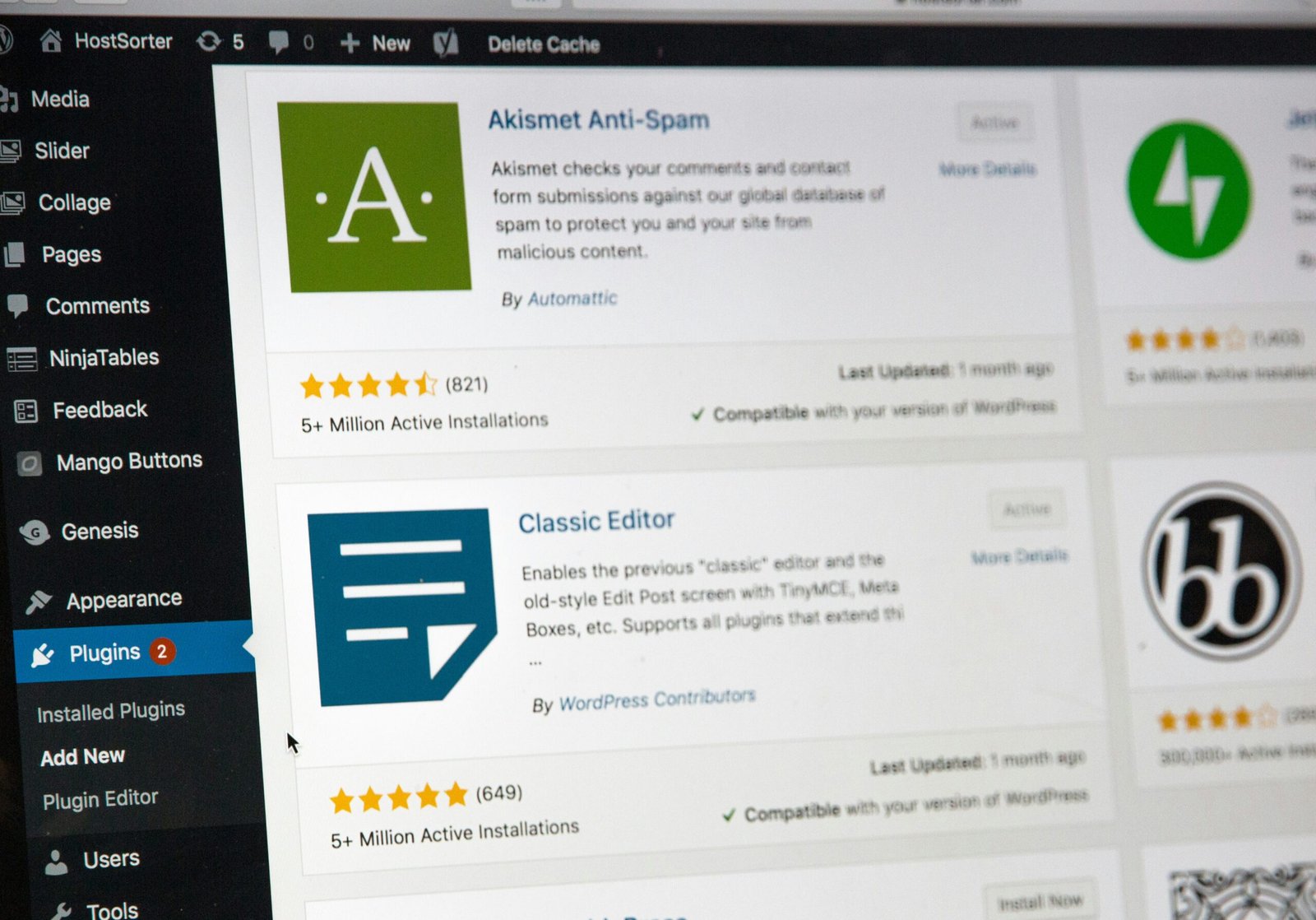
Once your AdSense code is in place, the right WordPress plugin makes a real difference to how well your ads perform. Two of the most popular free options are Ad Inserter and Advanced Ads, and both are worth knowing about.
Ad Inserter gives you precise control over exactly where your ad code appears. You can place ads within post content, after a specific paragraph, in widget areas, or in your header and footer, all without touching a single line of theme code. This kind of granular placement matters because mid-content ads typically perform better than sidebar placements, and Ad Inserter makes that easy to set up.
Advanced Ads is installed on over 150,000 websites and carries a 4.9-star rating, which tells you it has a loyal following for good reason. It lets you manage multiple ad units from one clean dashboard, schedule ads, and set display conditions based on post type or visitor behaviour. There is a free version that handles the essentials well, with premium add-ons available as your setup grows.
One technical point that catches many beginners off guard: if you are using a caching plugin like WP Rocket, you need to exclude your AdSense scripts from JavaScript deferral settings. If those scripts get deferred, your ads may fail to load properly, quietly costing you revenue without any obvious error message.
Finally, if you are already managing your SEO through a tool like Squirrly SEO, keeping your ad setup in a dedicated plugin is genuinely good practice. It keeps your SEO configuration clean, makes troubleshooting simpler, and means you are not mixing two very different functions inside the same tool.
Choosing the Right Niche: Why High-CPC Topics Change Everything
If there is one insight that genuinely changes how you approach your blog as a business, it is this: your niche matters more than your traffic numbers. Advertisers in competitive industries bid significantly more per click than those targeting general interest audiences, which means your CPC can vary wildly depending on what your content is about. Two sites with identical monthly visitor counts can earn vastly different amounts purely based on the topic they cover.
Finance, legal services, technology, health, and insurance consistently rank among the highest-paying niches for UK publishers. Individual clicks in these categories can be worth several pounds rather than a few pence, because the businesses advertising there are competing fiercely for customers with high lifetime value. A solicitor or mortgage broker can afford to pay a premium for a single click if that click leads to a client worth thousands. The 15 best AdSense niches for publishers in 2026 confirm this pattern holds firmly across the industry.
This is why a finance blog with 5,000 monthly visitors can realistically out-earn a lifestyle blog with 50,000 monthly visitors. Higher advertiser bids lift your RPM across the board, so every thousand pageviews simply produces more revenue.
Going deep with a micro-niche approach amplifies this effect further. A site focused on UK mortgage advice or small business accounting software attracts readers with strong commercial intent, which is exactly the audience advertisers pay a premium to reach.
The good news is that you do not need to overhaul your existing blog. Adding a dedicated content category covering a higher-CPC topic gradually lifts your overall site RPM over time, without disrupting your existing audience.
How to Find High-CPC Keywords Using Squirrly and Yoast
Knowing your niche is high-value is one thing. Actually finding the right keywords to target within that niche is where most beginners get stuck. This is where Squirrly SEO becomes genuinely useful as a starting point in your content strategy.
Squirrly’s keyword research features are designed to surface search terms that combine strong traffic potential with commercial relevance. That combination matters enormously for AdSense, because the same signals that tell you a keyword has commercial value are the signals Google’s ad system uses to match higher-paying advertisers to your content. A page ranking for a term with clear buying intent will consistently attract better ads than a page built around a purely casual query.
When you’re evaluating keywords inside Squirrly, the ones worth pursuing for AdSense are those sitting at the intersection of informational volume and transactional or commercial intent. Think “best business insurance for freelancers” rather than just “what is business insurance.” People searching the former are closer to a purchase decision, and advertisers know it. They bid more aggressively for that audience, which flows directly into your CPC.
Once you’ve identified a strong target keyword, Yoast SEO takes over as your optimisation layer. Yoast’s focus keyword analysis checks whether your content is properly structured around that term, covering your title, headings, meta description, and keyword usage throughout the page. This step is what turns a good keyword choice into an actual ranking, and without the ranking, none of the rest of the pipeline works.
The full chain looks like this: Squirrly finds the keyword, Yoast helps you rank for it, organic traffic arrives with the right intent, and AdSense matches appropriately priced ads to your content. Brian’s in-depth guides to Squirrly SEO at brianhillier.co.uk walk you through this workflow in practical detail, making them an excellent companion resource as you build this process from scratch.
Ad Placement Strategy: Where to Put Your Ads for Maximum Earnings
Here’s something worth understanding before you start experimenting with ad positions: most publishers who struggle to earn meaningful income from AdSense are not suffering from a traffic problem. They have a placement problem. Ads sitting in sidebars that nobody scrolls to, or banners buried at the bottom of a page, simply go unnoticed. Readers are focused on your content, and if your ads are not positioned within that natural reading flow, your CTR will stay low regardless of how many visitors land on your page.
Above-the-fold placement (meaning ads visible on screen without any scrolling) has historically delivered strong click-through rates because readers see them immediately on arrival. However, in-content placements tend to outperform both sidebar banners and header units over time. When an ad appears naturally within your article, it feels less intrusive and more relevant to what the reader is already thinking about.
One of the most consistently effective positions is placing an ad after your first or second paragraph. By that point, your reader is engaged, they have committed to the content, and an ad appearing alongside relevant material is far more likely to earn a click.
Rather than guessing what works best for your audience, commit to testing placements over two to four week periods and then compare your CTR and RPM figures inside the AdSense dashboard. Numbers tell the real story.
One final point worth taking seriously: do not overload your pages with ads. Google’s own guidelines flag excessive ad density as a policy concern, and beyond compliance, cramming in too many units drives visitors away, which increases bounce rates and quietly damages your site’s quality signals.
Using Scroll Depth Data to Optimise Placement
Google Analytics 4 makes this surprisingly straightforward, because scroll depth tracking is built in by default. GA4 automatically records when readers hit the 90% scroll threshold on your pages, and you can expand this to capture the full picture at 25%, 50%, 75%, and 90% milestones using Google Tag Manager or a WordPress analytics plugin. To find this data, head to Reports, then Engagement, then Events, and look for the scroll event. What you’re seeing is a precise map of where your audience’s attention fades out.
Here’s why that matters practically. If your data shows that 70% of your readers scroll past the halfway point of a post, an ad placed at that position has a genuinely strong chance of being seen. Google only counts an impression as viewable when at least 50% of the ad’s pixels are visible on screen for a continuous second, so placement depth directly affects whether your ads are even registering. An ad buried near the footer, where only a small fraction of readers ever reach, is essentially invisible to most of your audience.
The real power comes from combining this scroll data with your AdSense CTR reports. Instead of guessing which placements work or copying strategies from other bloggers whose audiences behave completely differently from yours, you can form evidence-based hypotheses and test them methodically. Publishers who build this habit of cross-referencing analytics with earnings data are the ones who see steady, compounding improvements over time, rather than wondering why their income has stayed flat for months.
Mobile Optimisation: Non-Negotiable in 2026
Around 64% of global web traffic now comes from mobile devices, and that number has been climbing steadily for years. If your ads are not rendering properly on a smartphone screen, you are essentially ignoring the majority of your potential audience before they even get a chance to click anything. For bloggers in food, news, or entertainment niches, mobile traffic can account for as much as 80% of all visits, which makes getting this right genuinely critical to your earnings.
The good news is that Google’s Auto Ads feature includes responsive ad units that automatically adjust to fit the screen they appear on. This is one of the main reasons Auto Ads are a sensible starting point for bloggers who have not yet spent time testing manual placements. Instead of wrestling with sizes and positions yourself, Google’s system handles the adaptation across the enormous variety of screen sizes in use today.
What you want to avoid are fixed-width ad units that do not scale down on smaller screens. These overflow the layout, push content sideways, and create a frustrating experience for readers. They also risk accidental clicks, which Google may discount through its invalid click filters, meaning you could see apparent click activity that never converts into actual revenue. On top of that, ads causing layout instability can hurt your Core Web Vitals scores, particularly your Cumulative Layout Shift (CLS) rating, which feeds directly into your search rankings.
Run your site through Google PageSpeed Insights to spot any layout problems affecting mobile users. It flags specific issues, including ad-related layout shifts, so you can address them before they quietly chip away at both your rankings and your AdSense performance.
Running AdSense Alongside Affiliate Marketing Without Hurting Either
Good news for anyone who has been wondering whether to choose between AdSense and affiliate marketing: you do not have to pick one. Many successful bloggers run both on the same site simultaneously, and when you manage them thoughtfully, each stream actually supports the other rather than competing with it.
The key thing to get right is placement. The main risk with combining the two is visual clutter, particularly around your affiliate call-to-action buttons. If a reader lands on a product review and sees a wall of display ads surrounding your “Buy Now” or “Check Price” button, their attention gets pulled in multiple directions and they often click nothing at all. Keeping AdSense units away from your affiliate CTAs and comparison tables protects the effectiveness of both.
The practical solution is to segment your monetisation by content type. On informational posts, such as how-to guides or explainer articles, readers are in research mode rather than purchase mode. AdSense works well here because those visitors are unlikely to convert on affiliate links anyway, so display ads monetise attention that would otherwise generate nothing. On commercial pages like product reviews, best-of lists, or comparison posts, the opposite applies. Purchase intent is high, and affiliate commissions per conversion will almost always outperform what AdSense would earn from the same page.
Think of it as matching the monetisation method to the reader’s mindset. AdSense earns from your top-of-funnel browsers; affiliate links earn from your bottom-of-funnel buyers. Each channel performs in the context it is best suited for, without either one getting in the way.
If you want to go deeper on structuring a blog that earns from multiple income streams in a balanced way, Brian’s affiliate marketing resources at brianhillier.co.uk cover exactly that, with practical guidance built for bloggers at every stage.
When to Consider Alternatives to AdSense
AdSense is a brilliant starting point, and for many bloggers it remains a reliable long-term earner. However, it is worth knowing that it is not the only option on the table, and as your site grows, thinking about diversification becomes a natural and sensible next step rather than a sign that something has gone wrong.
Some publishers find that their particular niche or audience profile simply performs better with a different network. This can come down to several factors: approval thresholds, how revenue is calculated, or the types of ad formats on offer. If your audience tends to browse on mobile, returns to your site regularly, or responds well to formats beyond standard display ads, it is worth exploring whether another network serves that behaviour more effectively.
PropellerAds is one option worth putting on your radar once your traffic starts to grow. It supports formats like push notifications and interstitials, which can complement or even replace display ads depending on your site’s layout and audience habits. Running it alongside AdSense is possible, and testing both gives you real data to work with rather than guesswork.
Speaking of data, the most reliable way to compare any two networks is to track your actual RPM over a meaningful testing period. Published averages are useful for setting expectations, but they vary considerably based on your niche, your readers’ location, and how they engage with your content. Your numbers are the only numbers that matter.
For UK bloggers specifically, Brian’s coverage of PropellerAds at brianhillier.co.uk is worth reading once you have a solid AdSense baseline to compare against.
Key Takeaways and Your Next Steps
AdSense remains one of the most beginner-friendly ways to monetise a blog in 2026, and the opportunity is genuinely real for UK publishers willing to approach it strategically. The key is treating it as a system rather than a passive afterthought.
Your three immediate priorities are straightforward: get your site approved by meeting Google’s content and quality standards, select a niche with a healthy CPC (finance, health, and technology consistently outperform general lifestyle content), and start with Auto Ads to let Google’s AI optimise your initial placements before you experiment manually.
Keep the Earnings = Pageviews x CTR x CPC formula close whenever your income feels stuck. It tells you exactly which lever to pull, whether that is publishing more targeted content, improving ad positioning, or refining your keyword strategy.
Pair your AdSense efforts with consistent SEO using a tool like Squirrly SEO to build sustainable organic traffic, and consider adding affiliate marketing as a complementary income stream alongside your display ads.
Finally, give it time. Most new publishers start seeing meaningful, compounding growth between six and twelve months in, as their content library, search rankings, and placement data all mature together. Consistency beats quick fixes every single time.
Conclusion
Making money with Google AdSense is genuinely achievable for beginners, and the path forward is simpler than most people expect. Here is a quick recap of what matters most: quality content attracts the right audience, proper ad placement drives higher engagement, and consistency over time is what turns small earnings into real passive income.
The best part? You do not need to be a tech expert or have a massive following to get started. You just need the right foundation and the willingness to take that first step.
So here is your call to action: set up your AdSense account today, publish your next piece of content, and start tracking your results. Every successful AdSense publisher started exactly where you are right now. The only difference between them and you is that they began. Your turn.